I wanted something that looked and felt like Claude Code, but without the subscription and without downloading a 40GB model to a laptop that is already fighting for disk space. After a bit of trial and error I landed on a combination that actually works: OpenClaude as the terminal agent, NVIDIA Nemotron 3 Super 120B as the language model, served for free through the NVIDIA Build API.
OpenClaude is essentially a thin fork of Claude Code (same -p non-interactive mode, same tool system, same working-directory sandboxing), with the OpenAI-compatible provider path turned on. So when you run it, you get the Claude Code UX, and the brain behind it happens to be a 120B NVIDIA model instead of Anthropic's.
This post is the exact recipe I used, the dead ends I hit, and a small NestJS microservice I built with it as a smoke test.
Tested on macOS (Apple Silicon) with OpenClaude v0.1.8 and Nemotron 3 Super 120B. April 2026.
What this setup gives you
- A terminal-based AI coding agent, similar in spirit to Claude Code.
- Powered by NVIDIA's Nemotron 120B model via their free inference API.
- File reading, code generation, shell commands, all driven from your terminal.
- Zero cost for dev/testing usage. No local GPU. ~100MB of disk.
All the heavy inference happens on NVIDIA's servers. Your laptop just runs a thin CLI.
Step 1: Install the prerequisites
You need Node.js, ripgrep, and git:
brew install node ripgrep git
A gotcha that cost me half an hour: OpenClaude silently crashes without ripgrep. If you installed Node through nvm, you still have to install rg separately through Homebrew. Also: if you have Claude Code installed, it ships a shell alias named rg that can shadow the real binary, so make sure the package is actually on your PATH.
Verify:
node --version   # v18+
rg --version
git --version
Step 2: Install OpenClaude
npm install -g @gitlawb/openclaude
openclaude --version
Step 3: Get an NVIDIA API key
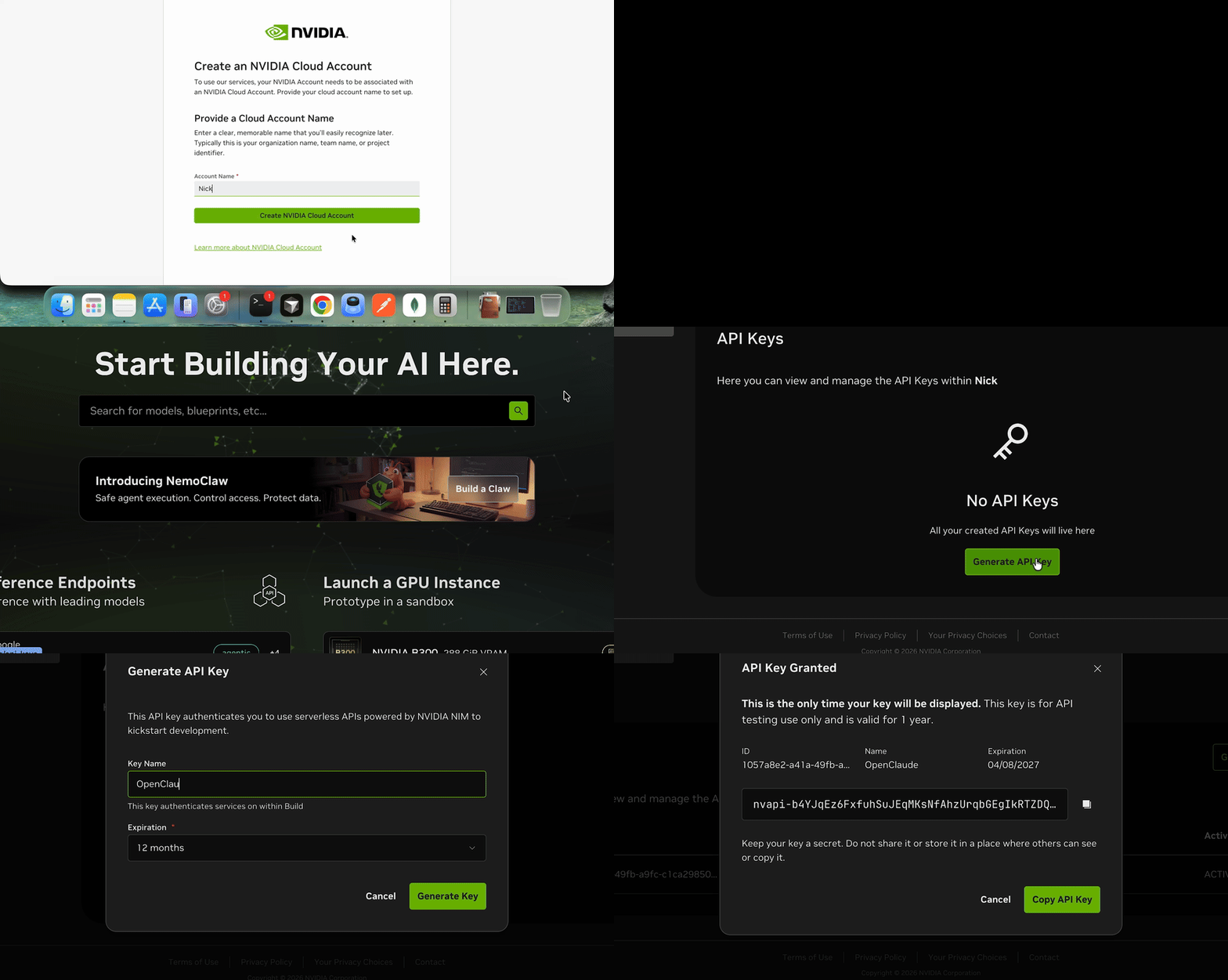
Go straight to the NVIDIA API keys page, no hunting required:
- Open build.nvidia.com/settings/api-keys.
- Log in or create a free account.
- Click Generate API Key. The key will start with
nvapi-. Copy it somewhere safe.
One important distinction: do not go to the NemoClaw / managed VM product. That is a paid deployment offering. You want the API Catalog / Build section, which hands out API keys for free inference against the Nemotron family.
Step 4: Configure the environment
OpenClaude speaks the OpenAI-compatible protocol. The variable names say "OPENAI" but the values will point at NVIDIA. That's fine, because NVIDIA's endpoint speaks the same dialect.
Add to your shell config (replace nvapi-xxxx with your real key):
echo 'export CLAUDE_CODE_USE_OPENAI=1' >> ~/.zshrc
echo 'export OPENAI_API_KEY="nvapi-xxxx"' >> ~/.zshrc
echo 'export OPENAI_BASE_URL="https://integrate.api.nvidia.com/v1"' >> ~/.zshrc
echo 'export OPENAI_MODEL="nvidia/nemotron-3-super-120b-a12b"' >> ~/.zshrc
source ~/.zshrc
If you'd rather not edit your shell config, launch openclaude and type /provider:
| Field | Value |
|---|---|
| Provider | OpenAI-compatible |
| Base URL | https://integrate.api.nvidia.com/v1 |
| API key | nvapi-xxxx |
| Model | nvidia/nemotron-3-super-120b-a12b |
Step 5: Launch
openclaude
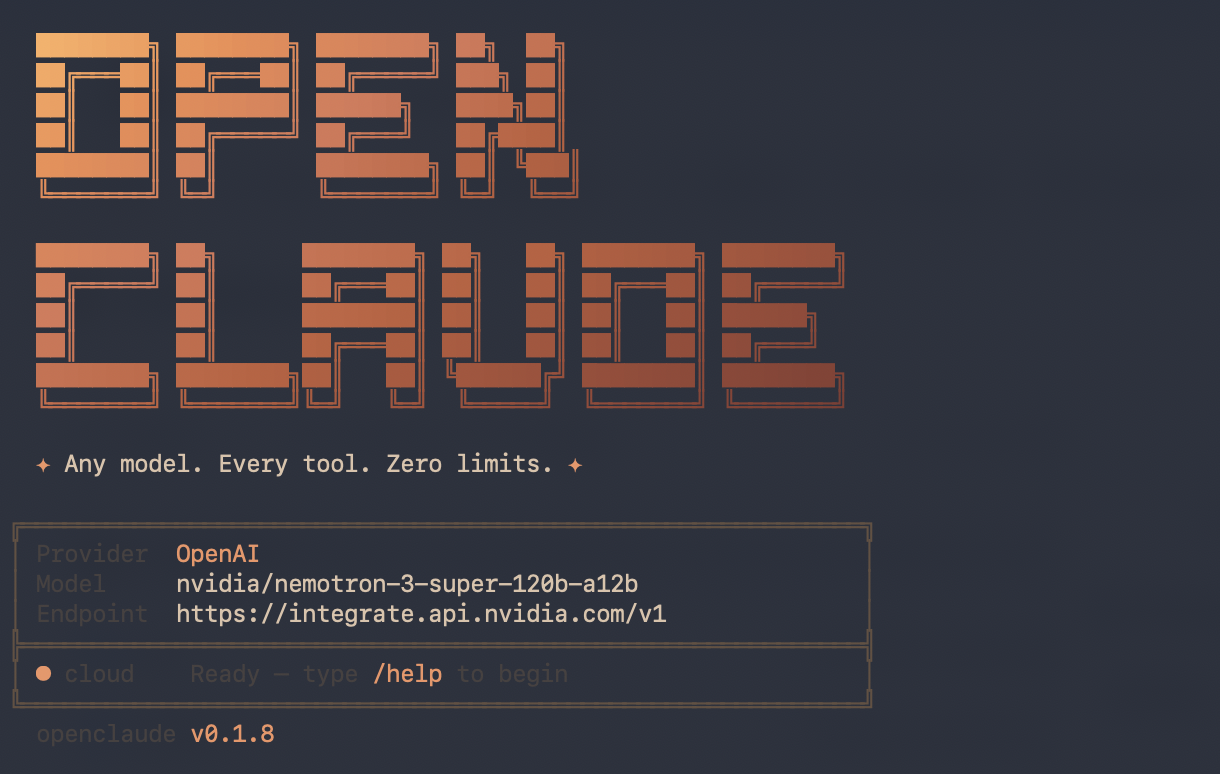
You should see the startup banner:
╔════════════════════════════════════════════════════════════╗
│ Provider  OpenAI                                           │
│ Model     nvidia/nemotron-3-super-120b-a12b                │
│ Endpoint  https://integrate.api.nvidia.com/v1              │
╠════════════════════════════════════════════════════════════╣
│ * cloud    Ready, type /help to begin                      │
╚════════════════════════════════════════════════════════════╝

A first hello! should come back with a reasonable reply. Then I tried a real task to see if the wiring actually held up under load:
> Write a Node.js NestJS microservice with a /hello endpoint
Nemotron generated a clean scaffold: hello.module.ts, hello.controller.ts, a Jest unit spec, an e2e spec with Supertest, and a working main.ts. That became the hello-microservice I kept in the repo as a tiny integration smoke test for the whole setup.
How fast is it, honestly?
Before anyone gets excited: this is not as fast as Claude Code running on Claude itself. It's not close. I ran three prompts through openclaude -p in non-interactive mode to get real numbers, same machine, same network:
| Prompt | Time |
|---|---|
Say only the word 'ok' (trivial, no tools) | ~7 seconds |
| One-line NestJS controller method, no tools | ~2m 30s |
| Tool-using prompt (listing files, hitting the workdir sandbox) | ~1m 15s |
For context, the same Say only the word 'ok' prompt through Claude Code against Anthropic's API typically returns in under a second. So you are paying a real latency tax for the free tier, and it shows up most on code-generation prompts where the model thinks for a while before emitting.
That said, the output is good. The NestJS scaffold had no hallucinated imports, the controller/spec/e2e split was reasonable, and the model understood "keep it minimal" on the one-line prompt.
Free-tier slowness, paid-tier quality. OpenClaude + Nemotron is a patient developer's Claude Code.
Who this is actually for
Be honest with yourself about what you're optimizing for. This setup is a great fit if you are:
- A junior developer learning the tooling. Getting your hands on an agentic coding CLI without needing a credit card or a paid plan is genuinely valuable. The UX is 95% the same as Claude Code, so the muscle memory transfers the day you do upgrade.
- A money-saver or hobbyist. If you're writing side projects in the evenings and a Claude subscription doesn't fit the budget, running Nemotron through NVIDIA's free tier lets you keep the agentic workflow for $0.
- A tester or tire-kicker. Trying agentic coding before you commit to a subscription, evaluating how a different base model behaves, or benchmarking open-ish models against Claude. This is a very cheap way to do it.
Where it is not the right tool: production work under deadline, anything where a 2-minute latency per turn is a dealbreaker, or heavy iterative loops like "refactor this 400-line file" (you'll want the fast model for that).
Use it as a great starting point. Upgrade when the latency starts costing you more than the subscription would.
Available Nemotron models
Not every model name works. These are the ones I confirmed on the free tier:
| Model ID | Size | Notes |
|---|---|---|
nvidia/nemotron-3-super-120b-a12b | 120B (12B active) | Recommended, best reasoning |
nvidia/llama-3.3-nemotron-super-49b-v1 | 49B | Faster, good alternative |
nvidia/llama-3.1-nemotron-70b-instruct | 70B | Stable, well-tested |
nvidia/llama-3.1-nemotron-nano-8b-v1 | 8B | Fastest, less capable |
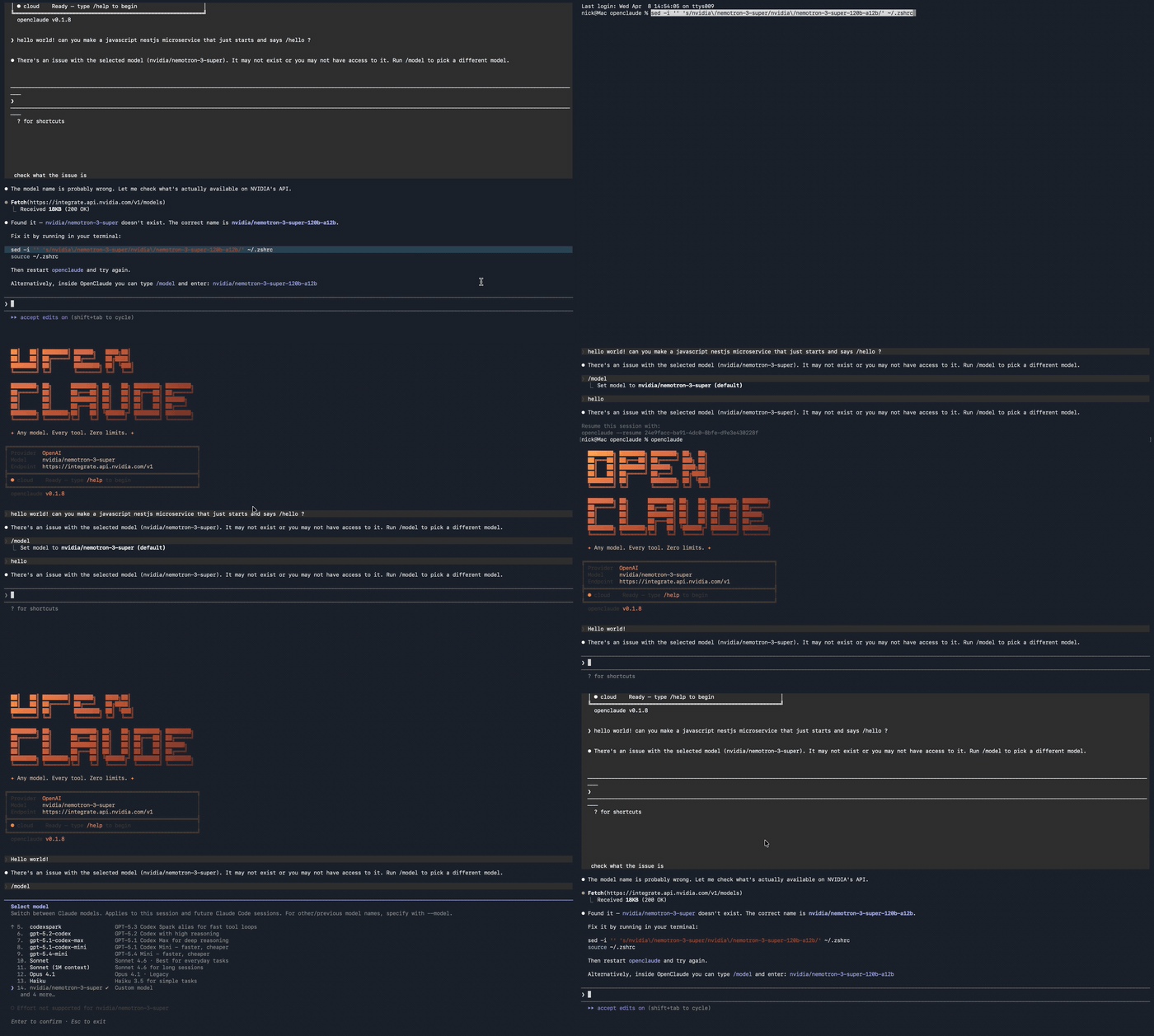
A common mistake: nvidia/nemotron-3-super does not exist. You must use the full model ID including the size suffix. Switch inside OpenClaude with /model, or export a new OPENAI_MODEL and relaunch.
Troubleshooting
"There's an issue with the selected model": wrong model name. Double-check against the table above; the size suffix is not optional. Here is exactly what that failure looks like, plus the sed one-liner I used to rewrite the env var and get unstuck:
"API Error: Please wait a moment and try again": expected on the first request. The model has a cold start of 10 to 30 seconds; subsequent requests are much faster.
rg not found / silent crash: brew install ripgrep. If Claude Code is also installed, verify that which rg returns the Homebrew binary and not the shell alias.
Slow responses: this is the big one. You're running a 120B parameter model for free through a shared queue. Based on my measurements (see How fast is it, honestly? above):
- Trivial prompts ("say ok"): ~7s
- Short code generation: 30s to 3 minutes
- Tool-using or multi-step tasks: 1 to 3 minutes per turn
If openclaude seems to be hanging, it probably isn't. It's just thinking on a shared GPU. Give it up to 3 minutes before you assume something's wrong.
Rate limits: the free tier has usage caps. Fine for development, tinkering and the occasional microservice. For heavy usage, you can add credits at build.nvidia.com.
Architecture, in one picture
Terminal
  |
  v
OpenClaude (local CLI agent)
  |
  v  HTTPS (OpenAI-compatible protocol)
  |
NVIDIA API (integrate.api.nvidia.com)
  |
  v
Nemotron 120B (runs on NVIDIA GPUs)
  |
  v
Response streamed back to your terminal
- OpenClaude handles the agent loop: reading files, editing them, running shell commands, keeping conversation state.
- Nemotron handles the reasoning: understanding prompts, generating code.
- Your machine just runs the lightweight CLI. No GPU, no local weights, nothing to keep updated.
Where to go from here
- Swap models per task. Use the nano-8B for one-off shell questions, the 120B when you actually need reasoning.
- Dockerize the CLI and run it on a VPS for remote access.
- Add an Ollama fallback for offline work (at the cost of 4GB+ of disk).
- Build custom agents on top of it for deploy, test or review pipelines.
Credits
- OpenClaude by gitlawb.
- NVIDIA NIM / Build for the free Nemotron API access.
If you end up using this, I'd love to hear what workflows you build on top of it, especially anyone combining Nemotron with a local Ollama model for offline fallback.